An app for ChatGPT
Turn any task into a step-by-step playbook
- Describe your task in ChatGPT and get a playbook: steps built on well-known decision frameworks, in the right order.
- Every step comes as a visual card — a table, a 2×2 matrix, groups or a canvas. You answer in your own words.
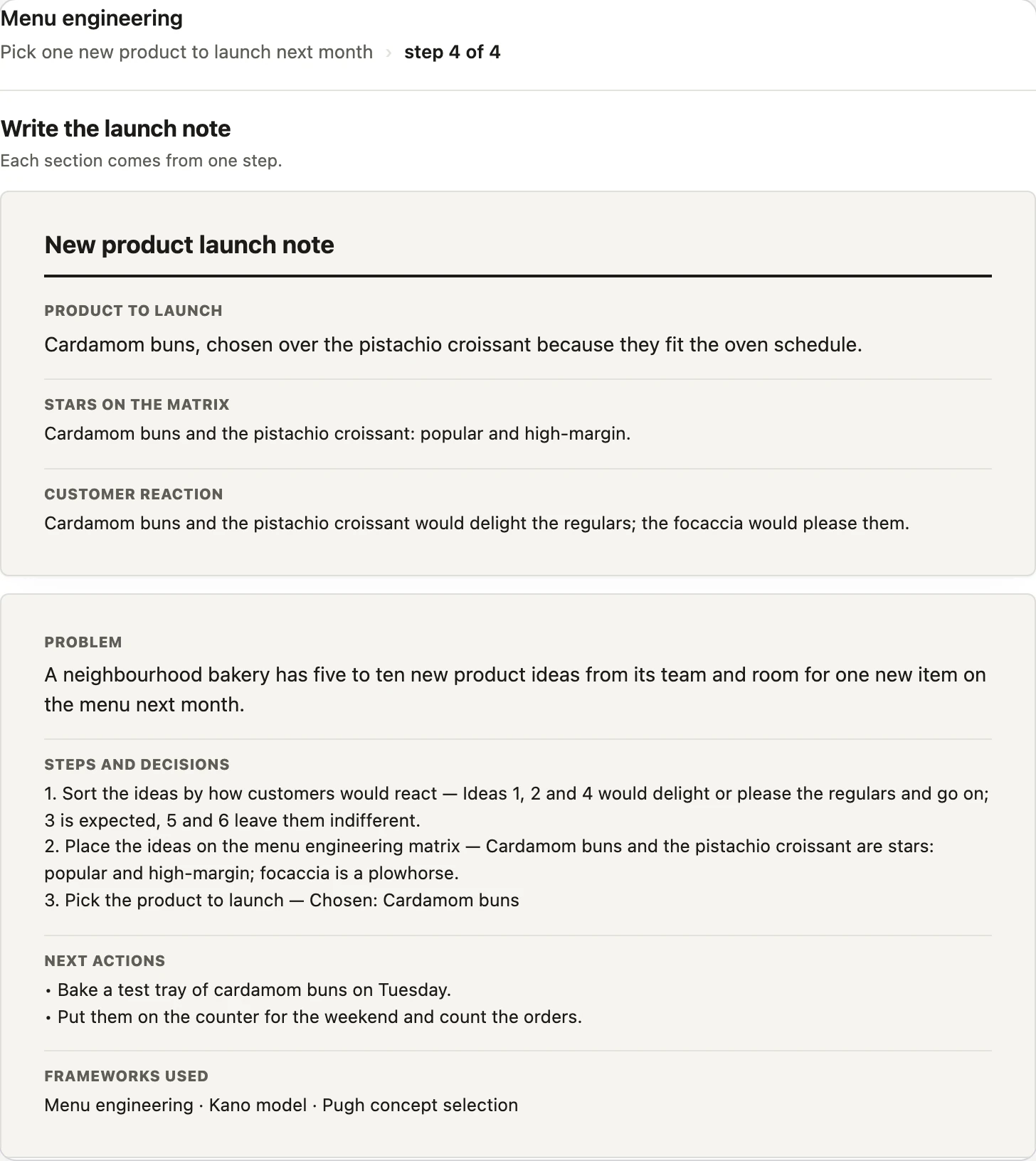
- At the end you get a document: the task, your decisions step by step, next actions and the frameworks used.
Free. No account needed and nothing to buy. The app keeps no copy of your task or answers.
I run a small bakery. Help me pick one new product to launch next month.
How it works
methodwise.app/mcp/playbooksAdd the app's address in ChatGPT once. No sign-up, nothing to install.
I run a small bakery. Help me pick one new product to launch next month.
Say what you want to decide or plan. ChatGPT picks frameworks that fit and builds the steps; the app checks the structure of the playbook and draws each step.
Each step comes as a card. Answer in words, and at the end the app puts together a document you can copy and share.
Not just an answer — a playbook
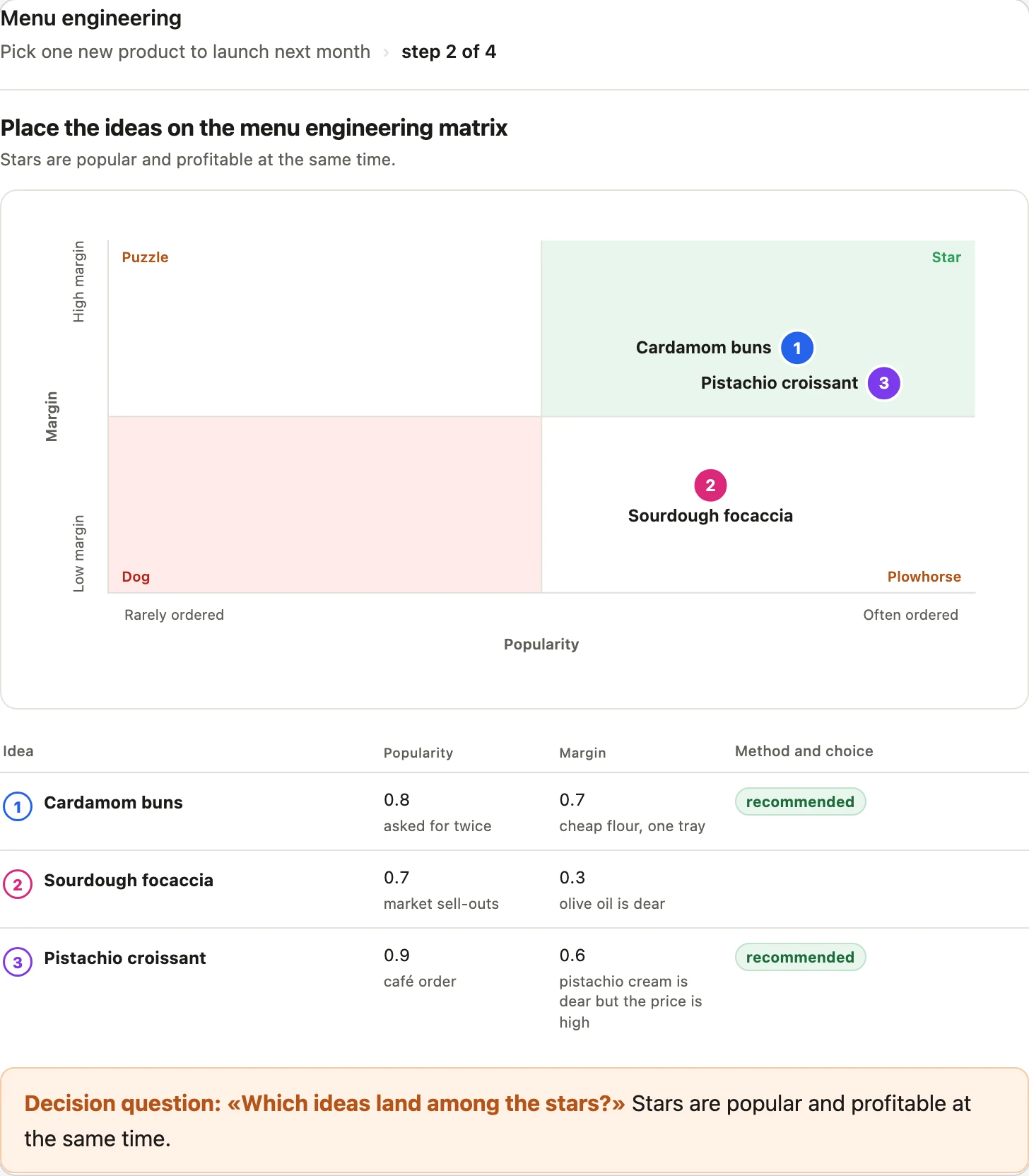
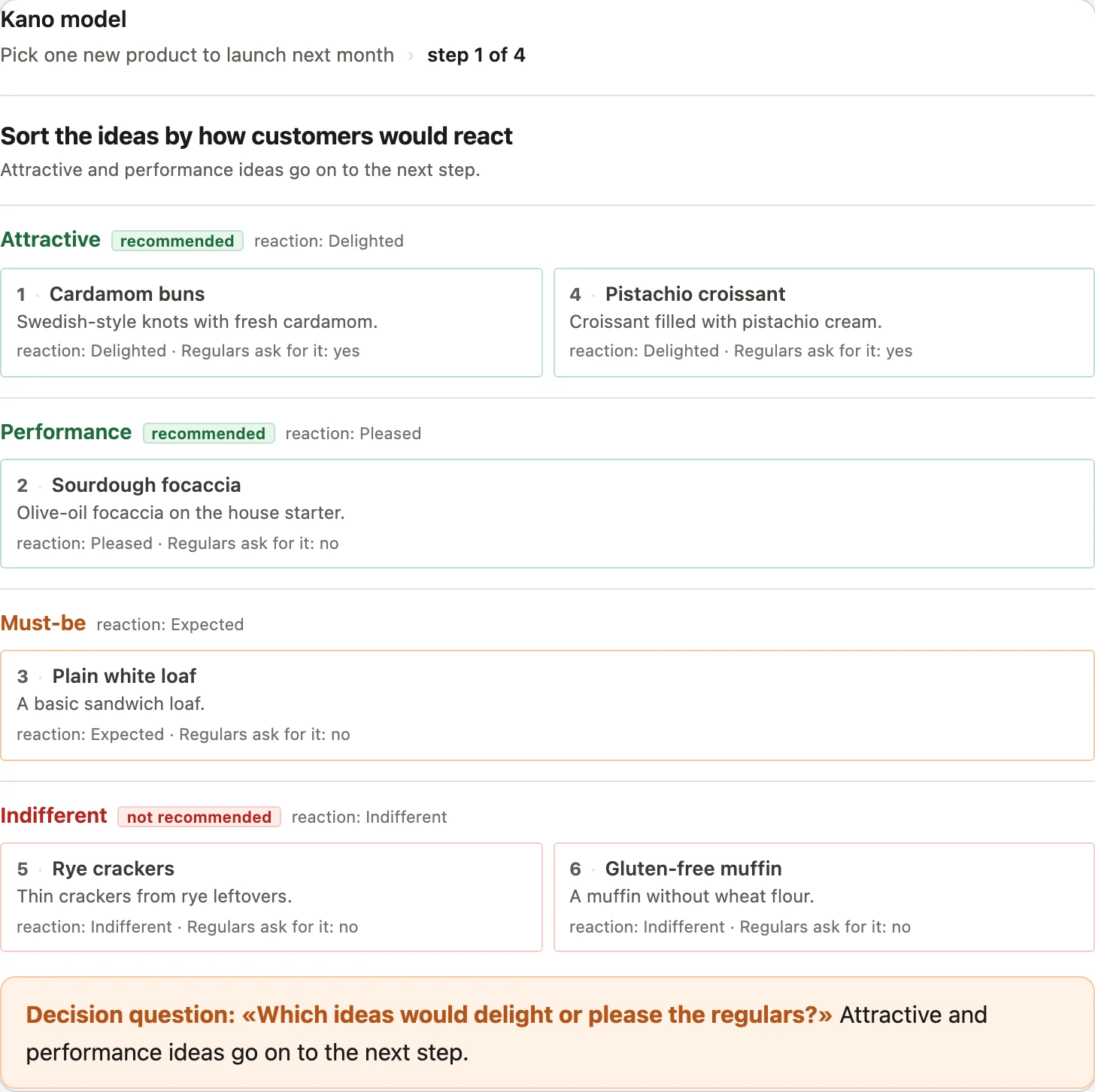
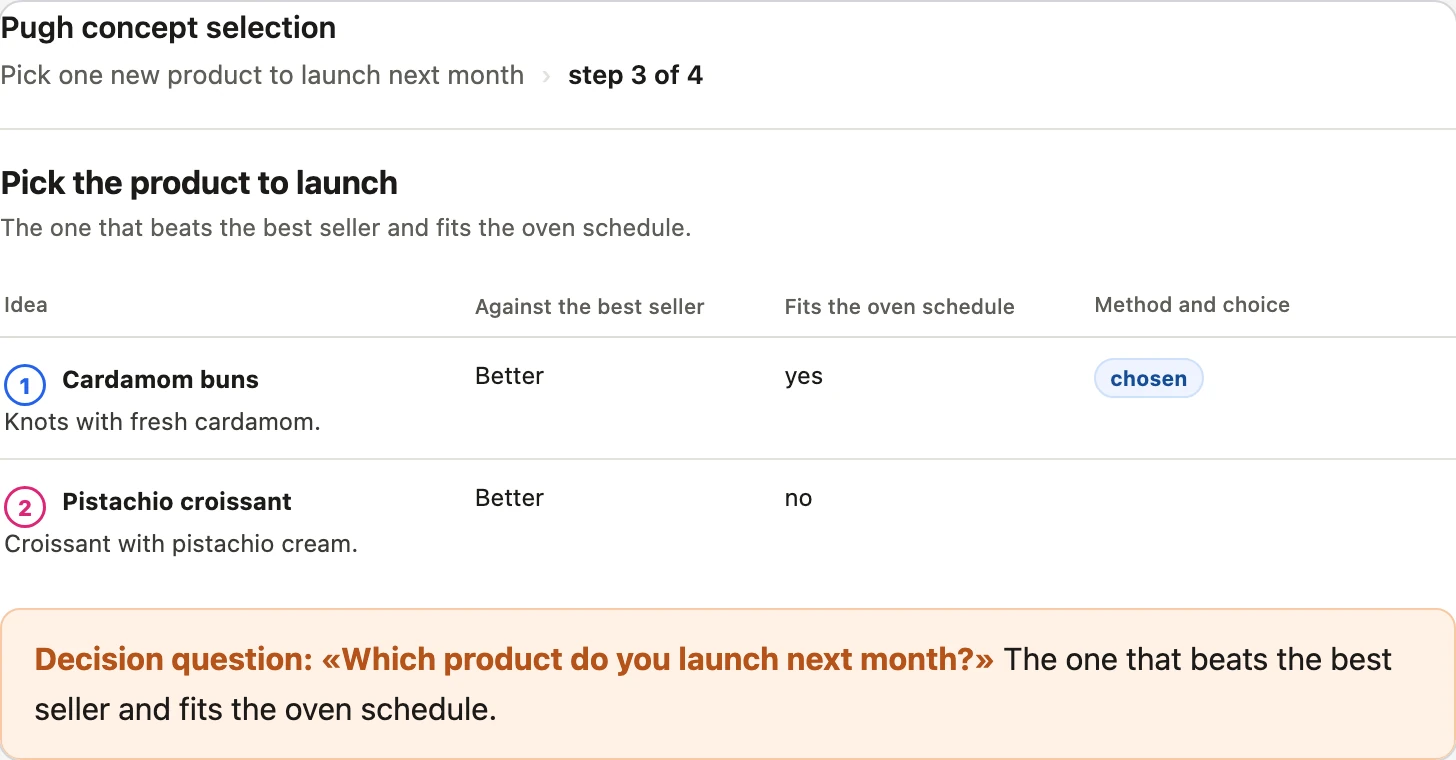
Each step uses a well-known framework — RICE, Kano, a 2x2 matrix — and says which one.
Describe your own situation and the steps are built for it. Ask to change a step, and the playbook changes.
The final document records the task, what you decided at each step and why, and what to do next.
What a playbook looks like
A sample task: a bakery picks one new product for next month. Four steps, three frameworks, one document. The cards below are drawn by the app.
I run a small bakery. Help me pick one new product to launch next month.
Add it to ChatGPT
Until the app is listed in the ChatGPT app directory, add it yourself with this address. It works in ChatGPT on the web with Plus, Pro, Business, Enterprise and Edu plans.
App address
https://methodwise.app/mcp/playbooks- 1In ChatGPT: Plugins → Add.
- 2Create an app with this address as the server URL, Authentication: No authentication. Press Create, then Connect.
- 3In a new chat: + → Methodwise. Then describe your task.
Try saying
Build me a playbook: how to decide which product features to build first.
It also works in Claude as a custom connector with the same address. Connection details
Questions
Is it free?
Yes. There is nothing to buy: the app works inside your ChatGPT, and ChatGPT does the thinking.
What happens to my data?
You don't need an account, and the app keeps no copy of your task, playbook or answers — they stay in your ChatGPT chat. Our server keeps only technical logs, such as the time, IP address and response status, for up to 14 days — see the Privacy Policy. Privacy Policy.
Where do the frameworks come from?
From widely known, openly available decision frameworks that ChatGPT already knows. The app gives them a fixed structure and order; it does not claim them as its own.
Can I build a playbook for my own situation?
Yes. Describe your task in your own words and the steps are built for it. You can ask to change a step at any point.
Does it work in Claude?
Yes, as a custom connector with the same address.
Support
Questions, data requests and security reports: mail@methodwise.app
Try it on your own task
Connect the app once, describe what you want to figure out, and walk through the steps.